Sunday, March 1, 2009

Using an Old System

So I've been messing with Arch on my old Compaq Deskpro EN with a Pentium 3 733MHz, 256 SDRAM, Voodoo3 2000 PCI 16Mb, and a 40GB hard drive. I must say it is a very responsive and usable system. It runs firefox with out any problems and even youtube with flash, as long as I keep flash videos their default size it runs them smoothly like any modern computer even most high definition content on youtube runs perfect.

Here is htop, very little ram is being used. Despite the fact that I have synergy, nitrogen, openbox, lxpanel, conky, terminal & X running.
Htop Low Ram Screenshot
Here is a video from youtube in HD, running perfectly fine. Ofcourse fullscreen is beyond what this system can do with flash. But it can play regular divx and xvid videos with no problem, fullscreen or not.
YouTube Low System Screenshot
29 seconds. The default boot on Arch, no optimization.
Bootchart Screenshot
25 seconds. I saved 4 seconds, by simply loading all the modules in the background. The system was completely functional by the time X started anyways, 2 seconds later.
Bootchart Screenshot
20 seconds. I recompiled the kernel, by using this kernel. Basically removing everything not needed and setting the kernel specifically for a Pentium 3. I did not spend too much time going over each option, so there is A LOT more optimization I can with the kernel configuration.
Bootchart Screenshot
Here is the .config file I used for the custom kernel in case anyone wants to reference it.

Sunday, February 22, 2009

DarkFiber Openbox Theme

Sorry for the lack of updates I have been a bit lazy and busy with work and school. I've been messing with an old Pentium 3 (730Mhz, 256 SDRAM, 40GB Hard Drive) system and decided to create another openbox theme.

I call it DarkFiber, I used the popular Onyx theme as the bases.
DarkFiber Openbox Theme
I'm using a slightly edited Clearlooks Colors (Clearlooks Brave) theme. I also have lxpanel at the bottom which is being started with a separate edited SlicknesS-black theme. This is how you do it:
GTK2_RC_FILES=/home/username/.themes/SlicknesS-black/gtk-2.0/gtkrc lxpanel
or
bash -c 'GTK2_RC_FILES=/home/username/.themes/SlicknesS-black/gtk-2.0/gtkrc lxpanel'
If you want to start it from gmrun or openbox menu.

Icons are my favorite Eikon theme, conky is similar to my regular setup which can be found further down on this blog with edited colors. Wallpaper is Aerostream. Sorry to lazy to find links for each one but you should be able to find everything quite easily.

Thursday, June 26, 2008

Software for Linux

Here is a list of Linux applications that I personally use on my openbox setup. I highly recommend every single application listed here, I also took the liberty of taking a screenshot of each application running on my computer. Most of the applications are found in Ubuntu's repos, just do a search otherwise you will need to find a deb or compile.

Catfish - A great search utility. I find it's better then the one Gnome uses.
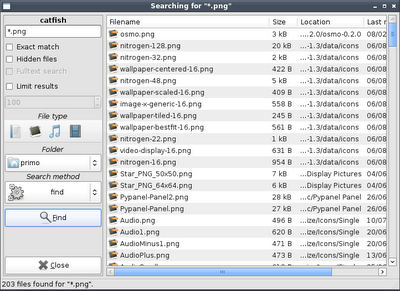
Catfish Screenshot
Deluge - A very good Bittorrent client, similar interface to uTorrent.
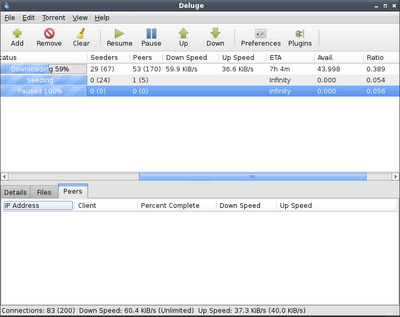
Deluge Screenshot
Driftnet - A privacy invasion utility really, allows you to look at images that pass through your network. But it's also useful to save massive amounts of pictures that you view with your browser.
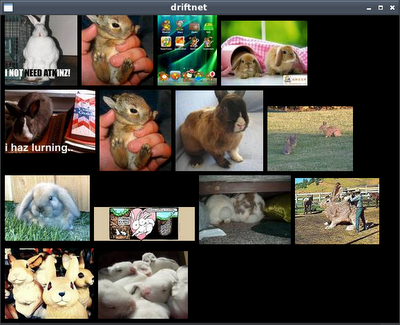
Driftnet Screenshot
Emesene - A perfect MSN clone, I find it more familiar than Pidgin.
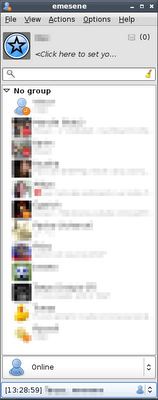
Emesene Screenshot
GColor2 - A simple color selection utility useful for designing webpages or openbox themes.
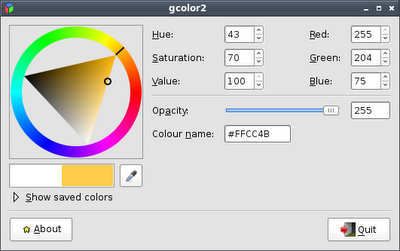
GColor2 Screenshot
Gmrun - A simple run application.
Gmrun Screenshot
Nitrogen - A wallpaper selection tool, very useful for openbox.
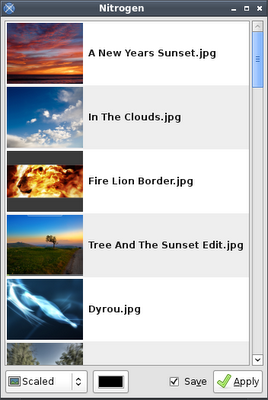
Nitrogen Screenshot
Obconf - Openbox configuration utility.
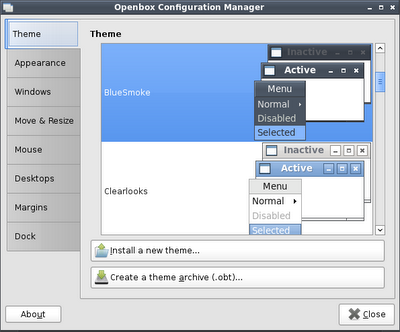
Obconf Screenshot
Obmenu - An easy way to configure the openbox menu. Add remove applications with ease, add pipe menus, etc.
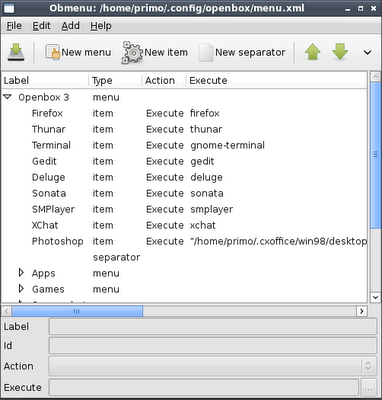
Obmenu Screenshot
Photoshop - Yes, Photoshop. Why not Gimp? Because Photoshop is a much better application in my opinion. Yes I know the Gimp can do most things if not all of them. The problem is that it's not easy to relearn the interface, shortcuts, etc. There are also a few minor limitations with Gimp which I prefer not to discuss. I run Photoshop 7 through crossover office, it runs alright. There are certain limitations, like slight mouse lag and minor text/menu glitches. However it's usable. For any serious multi-layer work like high resolution flyer design I do it on Windows, because it's not adequate on my aging machine to do it in Linux. Unfortunately :( I've only had Photoshop crash once over the last year.
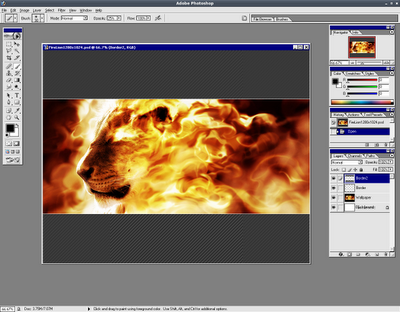
Photoshop Wine Screenshot

SMPlayer
- A great media player, it offers everything and more that Media Player Classic offers on Windows. It uses QTk instead of GTK, but that doesn't stop me from using this great application. VLC is also good, but has no full screen controls and I find the interface lacking & sluggish.
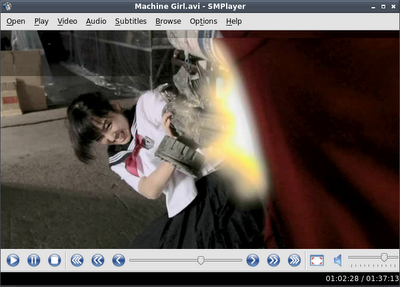
SMPlayer Screenshot
Sonata & MPD - Sonata is a frontend for MPD, which means you can close it or even log out and music will continue playing (You can of course manage this functionality for MPD to stop if Sonata is closed in the settings). You will need to setup and run MPD before you can use Sonata. I find that Sonata is very quick, has a great interface which uses your default icons. I used to use Audacious (a Winamp clone), but I find the interface to be a bit sluggish and the playlist always glitches on minimize.
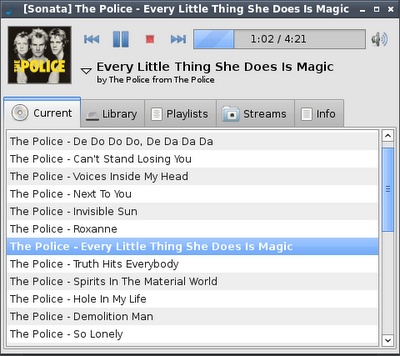
Sonata Screenshot
Sysinfo - A program that displays various System Information.
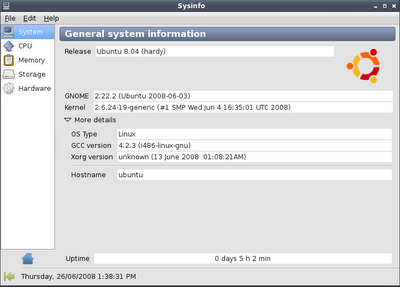
Sysinfo Screenshot
Thunar - An excellent and fast file manager. I would also recommend PCMan.
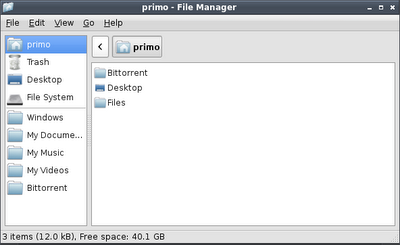
Thunar Screenshot
Xchat - Irc chat client, the Gnome version is horrible in my opinion so I use the default one.
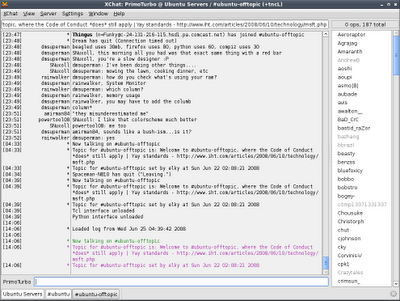
Xchat Screenshot
Xnest - This great little utility allows you to login in to your computer in a separate window running a different session. I use it to get gnome shortcut properties and such.
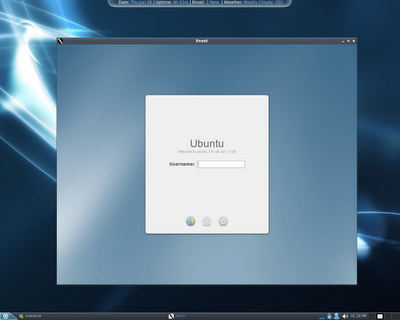
Xnest Screenshot
For more applications I suggest you check out GetDeb (for Ubuntu) and take a look at this forum thread, cool applications you use that others might not know of. Furthermore urukrama's openbox guide offers a lot of software suggestions.

Openbox, Pypanel and Netwmpager

So I've been using openbox for the past month and it's definitely my favorite desktop environment so far. While I love gnome I find that it's too bloated, I love the ability to customize openbox with relative ease. Not only is it a lot faster, but it's also a lot cleaner and compact. Recently I installed pypanel after messing with fbpanel, I find both are similar in resources. However fbpanel lacks a little on customization, while at the same time offers a pager. However I added netwmpager as my pager and it's awesome, gives a lot of functionality and customization.

Here is my current openbox desktop:
Openbox, Pypanel and Netwmpager Desktop Screenshot
You might be asking yourself, how I have a skinned the taskbar with pypanel. The answer is that I cheated, I edited my wallpaper to include the panel and the background behind conky. Then I made both pypanel and conky transparent.

Here are 2 of the panels (and conky style backgrounds) I have created, they are transparent PNGs so you will need to edit them and add your background behind them. Both are sized to 1280x1024, you will need to resize/move or cut up the files to make them fit on your wallpaper. Both are made from scratch, you are free to do what you want with them. I cannot release the wallpaper versions because the wallpaper are not made by me, but it's easy enough to edit.
Blue Version:
Pypanel Panel Blue
Transparent Green Version
Pypanel Panel Transparent Green
You can download the BlueSmoke openbox theme I created from here. Give me a good rating if you like it :p

The wallpaper that I am using is called Dyrou, it's offered in a number of colors you can download it here.

Here are all my settings, make sure to edit them before using.
~/.pypanelrc
~/.config/netwmpager/config
~/.config/openbox/autostart.sh
~/.config/openbox/menu.xml
~/.config/openbox/rc.xml
~/.conkyrc
~/.conky/gmail.py
~/.conky/weather.sh
~/Files/System/Scripts/dzen_calendar (Taken from urukrama)
~/Files/System/Scripts/themeinfo.py (Taken from dbbolton)

~/.fbpanel/default (unrelated to this theme but I also have a edited fbpanel)

I'm using a GTK theme called Clorgon and the Elementary icon theme.

That should be all, I highly recommend reading urukrama's openbox guide and all of his openbox related postings, very well written and very informative. Also K.Mandla offers a lot of interesting openbox related information. If you want to see some great openbox related screenshots, check out urukrama's screenshots section.

Enjoy :)

Thursday, June 19, 2008

Ubuntu Cd Artwork (5.10 to 8.04)

Ubuntu Cd Artwork 5.10 to 8.04
Here are all the Ubuntu Cds I have ever received, I'm not sure if I'm missing any. Interesting to look at the artwork.

Thursday, June 5, 2008

Ubuntu Hardy Screenshot

Haven't posted in a while, been busy with real life. But anyways here is my current desktop of Ubuntu Hardy.
Ubuntu Hardy Screenshot
GTK: Murrine-Colors (Murrine Brave)
Metacity: Shiftie Red Ed
Icons: Elementary 1.8 (Slightly Modified)
Wallpaper: Mupe Bay Dreams

Wednesday, December 5, 2007

Future File Management Mockup

Future File Management Mockup Screenshot
I’ve been working on this mockup for a few days now and I’m getting really tired of it so I figure I would post it before I abandon making it.

My idea that I have never seen implemented in file management is called pathview or perhaps webview. Maybe it’s already out there but I have never seen it, I think it would be quite revolutionary and genuinely useful if ever implemented.

Pathview/webview: All files are presented in a single window; the user is able to move around the files like in an RTS game or Google Earth. An excellent example of this implementation would be the game Defcon. The user is able to zoom in and zoom out and follow the mini-map in order to locate files.

Organization: Essentially you could create areas for files, like a map. It could be based on the world, planets or anything else. You can move files around by dragging them to different areas with out actually changing their position in the file system. It simply makes no sense that we have to follow the organization of our operating system in order to locate files. The line paths would still indicate the original location of the files in the file system even if the files are placed in other parts of the map.

File movement (not in the mockup): One problem with pathview could be moving large amounts of files. To speed this up, the user has a special tool. A temporary folder or basket, which allows the user to place files into this area temporally. Then move into another part of the map and move the files into that area by dragging them out of the basket. This is similar to the way that RPG games implement item management.

Folder icons and trash icon used in the mockup are called iVista.

Monday, November 26, 2007

Hammer and Sickle

Here is a Hammer and Sickle Soviet based wallpaper I made.
Hammer and Sickle Soviet Wallpaper
The context of this wallpaper is that I'm in the middle of watching PU-239. The film is about nuclear material going missing from the former Soviet Union, interesting movie so far.

Saturday, November 17, 2007

Metacity Theme SmoothBlend

Here is a smooth gray Metacity theme I made called SmoothBlend.
Metacity SmoothBlend Theme
Download it at Gnome-Look.org

Thursday, August 30, 2007

Ubuntu Wallpapers Collection

Here is a collection of Ubuntu based wallpapers that I have done. Click on each image to view a larger version.
Ubuntu Go Beyond Windows Wallpaper
Ubuntu Simple Wallpaper
Xubuntu+ Fast Equals Good Wallpaper
Ubuntu Orange Wallpaper
Ubuntu Swirls Green Wallpaper
Ubuntu Swirls Blue Wallpaper
Ubuntu Swirls Brown Wallpaper
Ubuntu Chocolate Wallpaper
Here are some photographs that I took with my Kodak 2 Megapixel camera.
August Sunset Wallpaper
Ducks Sunrise Wallpaper
Seagull Wallpaper
You can find a mirror of all these wallpapers at my deviantART page.

Wednesday, August 29, 2007

Two Desktop Mockups

I sneaked two mockups of GNU/Linux desktops that I made completely in Photoshop into both the Ubuntu's August Screenshot Thread and Neowin's August Screenshot Thread, not many people noticed.

Here is the fake Duke Nukem Forever mockup I photoshoped.
Fake Duke Nukem Forever Screenshot Mockup
Ubuntu Simplex mockup.
Ubuntu Simplex Mockup
